ETL-CalTopo
Bring CALTopo Maps into the TAK System
Modes🔗
The Layer supports two independent data flows, the Outgoing flow is off unless configured.
- Incoming (Schedule) - Ingests the objects of a single shared CalTopo Map, or the live Shared Locations of a CalTopo Team Account
- Outgoing (
event:create) - Creates a new CalTopo Map in a Team Account every time a CoreEvent is created and shared with the Layer Connection
Outgoing - CoreEvent to CalTopo Map🔗
Enable the Outgoing flow of the Layer and subscribe it to event:create. The Service Account requires at minimum Update permissions on the Team (see Team Access Token below) and the Layer requires the event:read & event:update permissions. Each created Map is titled after the CoreEvent callsign and contains a single Marker at the Event location whose description carries the Event remarks and human readable location.
The Map ID is filed under the caltopo external ID of the CoreEvent, so an Event that already has one (ie: a redelivered message) never gets a second Map. Unless the Map is PRIVATE, its URL is also added to the Links of the CoreEvent.
| Variable | Default | Description |
|---|---|---|
AccountId | Service Account ID the credentials belong to | |
TeamId | Team ID the Maps are created in, from the Team admin page URL https://caltopo.com/group/{TeamId}/admin/details | |
CredentialId | Service Account Credential ID | |
CredentialSecret | Service Account Credential Secret | |
MapMode | sar | sar (Search & Rescue) or cal (Recreational) |
MapSharing | SECRET | PRIVATE (creator only), SECRET (secret URL), URL (public URL) or PUBLIC |
MapLayers | [{ "layer": "mbt" }] | Active base layers - ie: mbt (MapBuilder Topo), mbh (MapBuilder Hybrid), imagery |
MarkerColor | FF0000 | Hex colour of the Marker placed at the Event location |
DEBUG | false | Print results in logs |
Team Access Token🔗
A Service Account has its own Account ID, a Credential ID and a Credential Secret. The Team it belongs to has a separate Team ID, visible in the URL of the Team admin page - the Outgoing flow needs both.
The Team Account mode requires a Service Account Credential ID and Secret from CalTopo. You must be an admin of the CalTopo Team to create an access token.
-
Login to CalTopo and click your username in the top bar
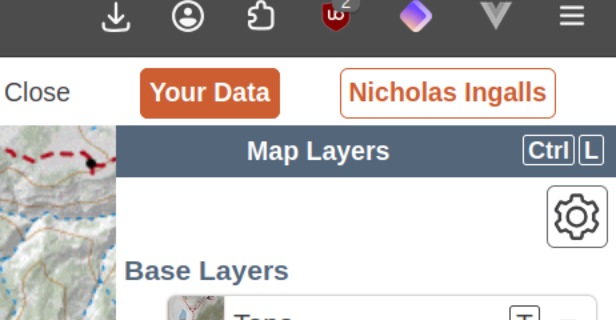
-
In the popup, under Team Membership, click
Administerfor the team account you wish to configure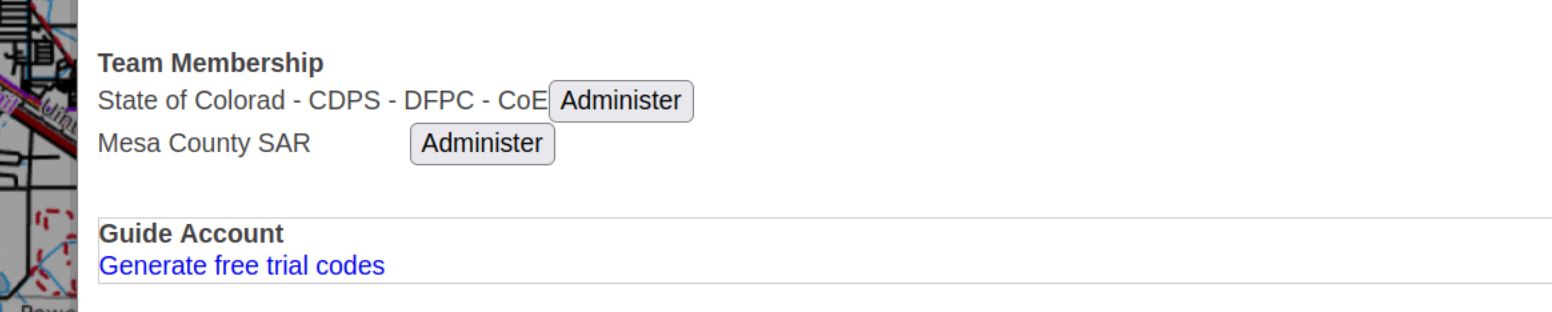
-
On the Team page, click the
Detailstab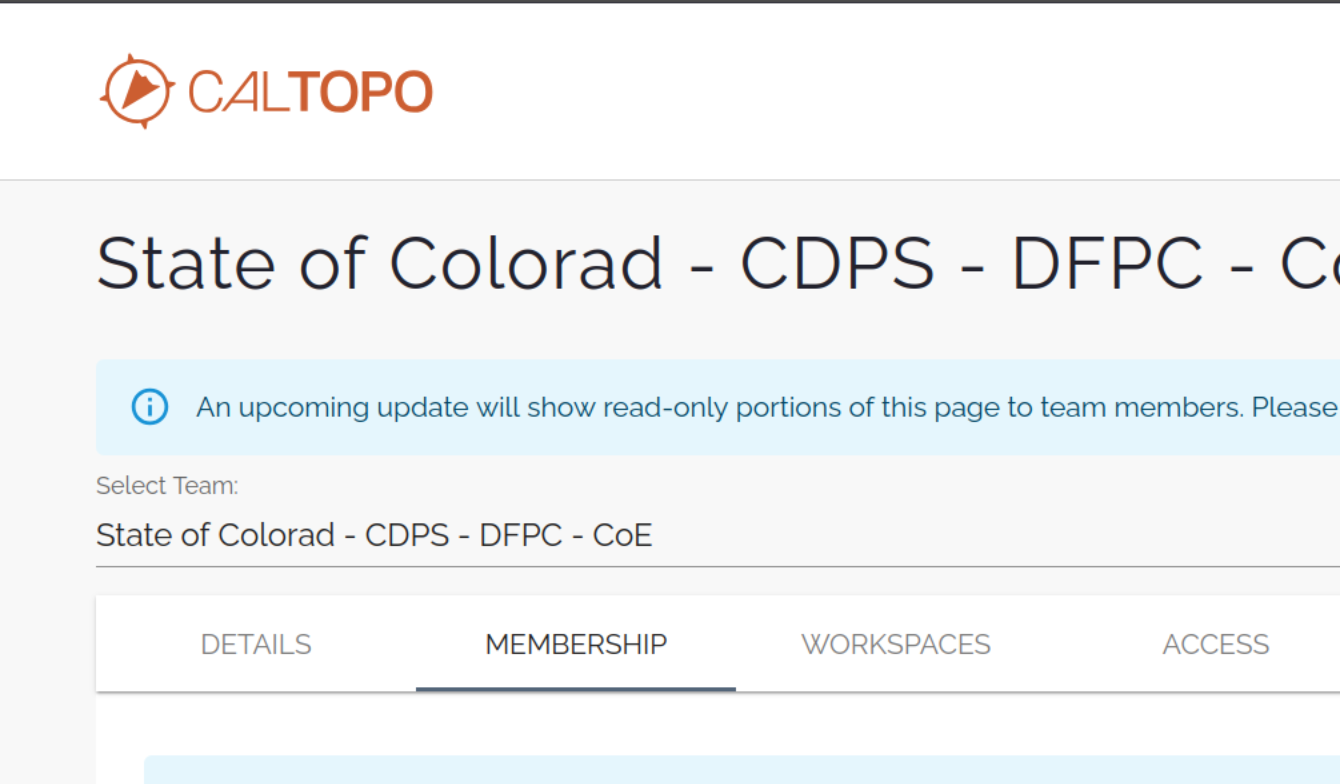
-
Under Service Accounts, click
Create Service Accountand create a new Service Account with at minimumReadpermissions (Updatepermissions are required for the Outgoing flow to create Maps)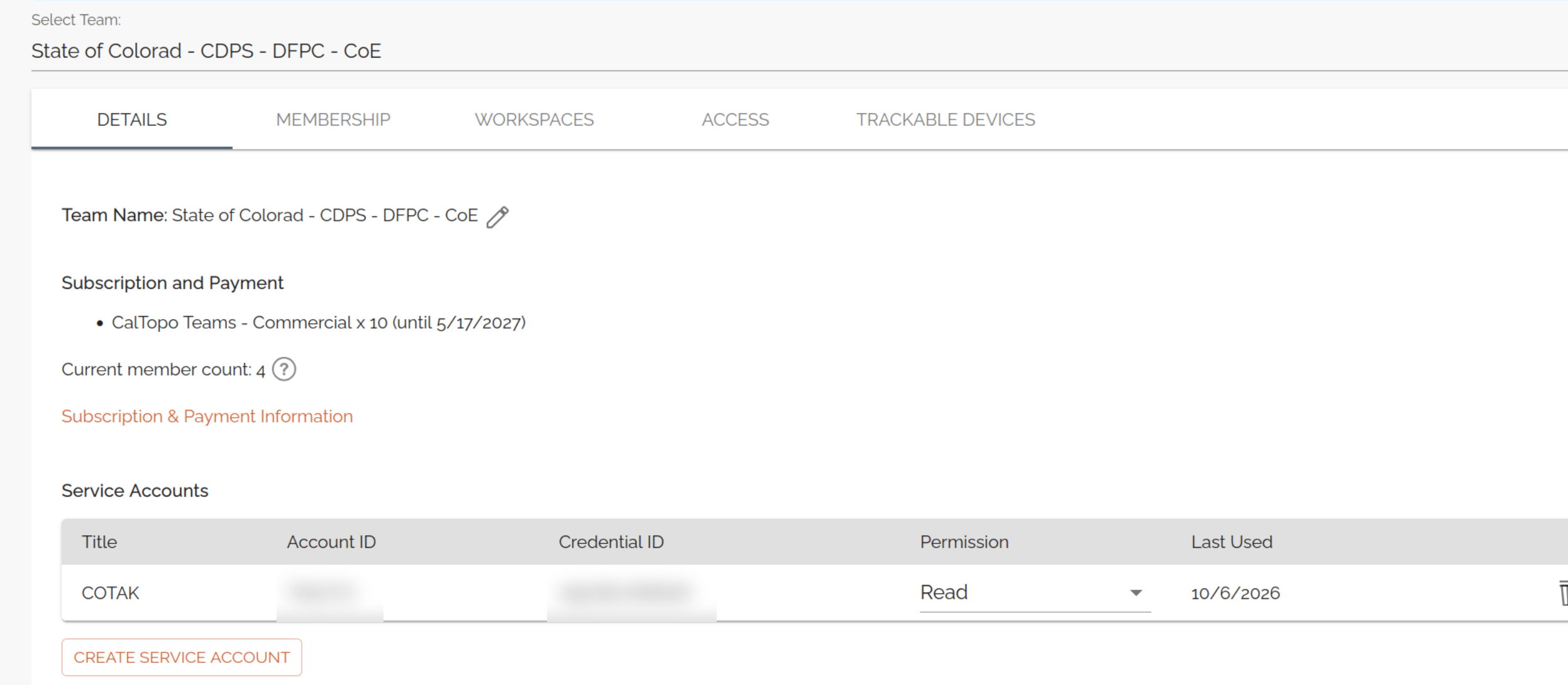
Development🔗
DFPC provided Lambda ETLs are currently all written in NodeJS through the use of a AWS Lambda optimized Docker container. Documentation for the Dockerfile can be found in the AWS Help Center
Add a .env file in the root directory that gives the ETL script the necessary variables to communicate with a local ETL server. When the ETL is deployed the ETL_API and ETL_LAYER variables will be provided by the Lambda Environment
To run the task, ensure the local CloudTAK server is running and then run with typescript runtime or build to JS and run natively with node
Deployment🔗
Deployment into the CloudTAK environment for configuration is done via automatic releases to the DFPC AWS environment.
Github actions will build and push docker releases on every version tag which can then be automatically configured via the CloudTAK API.
Non-DFPC users will need to setup their own docker => ECS build system via something like Github Actions or AWS Codebuild.
Info
This page is generated daily from the README of dfpc-coe/etl-caltopo (last fetched 2026-10-08). Changes should be made in that repository.